

Grade Calculator Enhancements
Introducing powerful new tools to plan and visualize your academic performance.
Getting ready for the new semester? We've got you covered!
We're excited to announce major enhancements to the USThing Grade Calculator! These new features give you more control over your academic planning and help you visualize your grades like never before.
Custom Courses
Ever wanted to predict your grades for courses not yet enrolled in? Now you can! With Custom Courses, you can create hypothetical courses for grade prediction.
This is perfect for:
- Planning your course load for upcoming semesters
- Estimating how different grade combinations affect your CGA
Simply add a custom course, assign it a credit value, and input your expected grade under "goal" — the calculator will automatically update your projected CGA as your goal.
What-If Analysis Beta
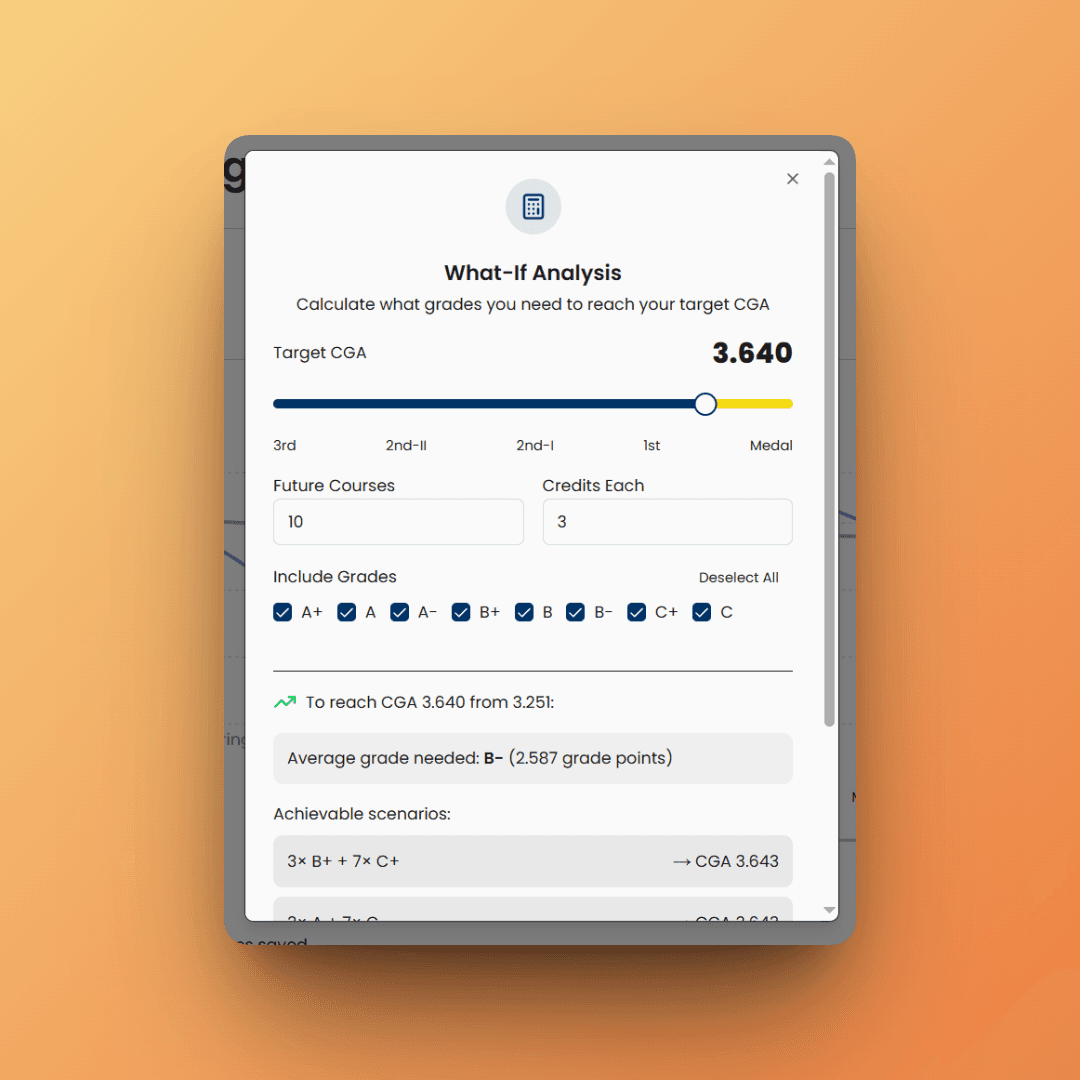
Take your academic planning to the next level with the new What-If Analysis tool. This powerful feature helps you answer two key questions:
- How many As/Bs/Cs do I need to reach my target CGA?
- How many As/Bs/Cs can I afford to lose and still stay above a certain CGA?
How It Works
- Click the calculator icon in the grade info header
- Enter your planned number of credits and your target CGA
- Get instant feedback on the grades you need — or the buffer you have
Whether you're pushing for Dean's List or making sure you stay in good academic standing, What-If Analysis gives you the clarity you need to plan ahead.
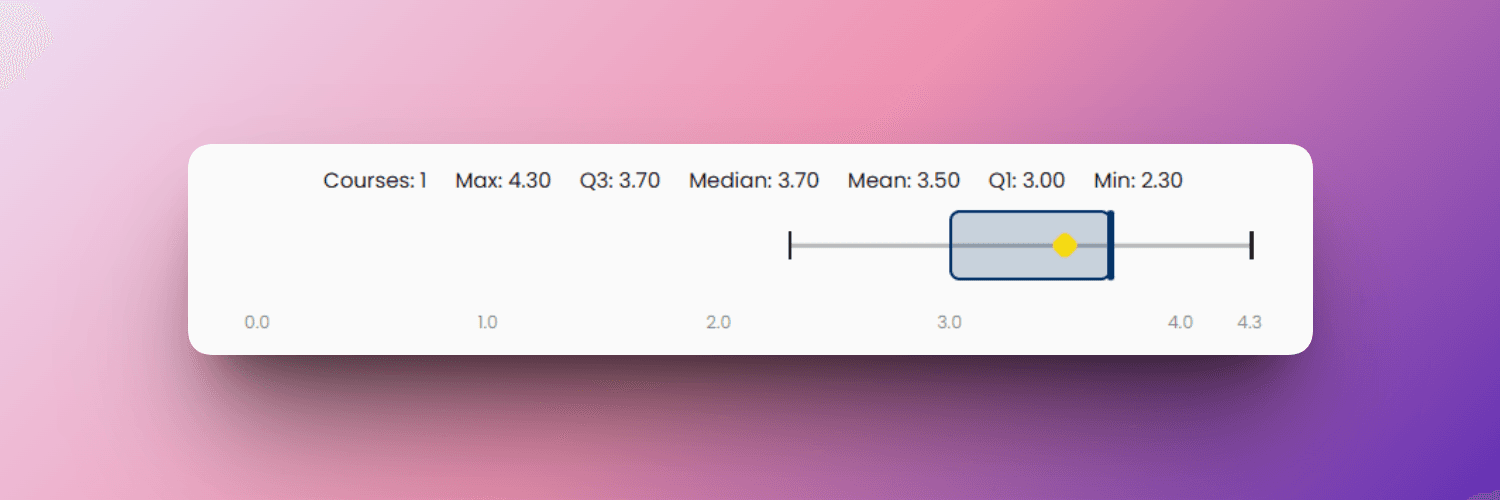
Grade Box Plot
Visualize your grade distribution with the new Grade Box Plot — a horizontal visualization that shows your performance at a glance.
These enhancements are all about giving you the tools to take charge of your academic success. Start exploring these new features in the USThing Dashboard today!
one more thing
Here's one more thing you might be interested in...
CGA Share Groups Beta Limited-time
With CGA Share Groups, you can create or join private groups to share and compare aggregated CGA data with your friends.
- Create groups with unique invite codes
- Join groups via invite link
- View group average CGA — only visible to group members
- Share invite links as the group owner to grow your circle
Only aggregated CGA data is shared with the group.